
Some Trainers choose to enroll their students on to the TFA website themselves. While this may make the process easier for their students, it is time consuming for the Trainer and can also cause issues if a trainer uses their own personal email for multiple Paypal subscriptions.
In order to simplify this process, we have created a method for Trainers to purchase enrollment for their students in bulk. Here is how to do that:
- Read these instructions and Click the Buy Button at the bottom. This will take you to a dedicated payment page.
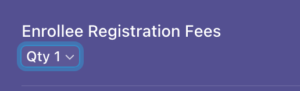
- Choose your student quantity. For Paypal, enter your quantity before clicking the Pay button. For Stripe, on the following page, change the quantity to match your number of student registrations:

- Enter in your name and payment details.
- For the “Enter Your Training’s Preferred Link Name” field, enter your Training’s name. This will appear in the link we give you to send to your students. This is optional, if you leave this blank, we will create a name for you.
- Complete payment for the number of students you’ve selected.
- Within 24 hours, TFA will send you a dedicated link. This link will allow your number of students to register without further payment or a need to enter their own payment information. They will register with their own names, emails and information.
- Once all of your students have registered, your link will no longer be active. You can repeat the process for your next training.
We hope this process simplifies your registration experience. Feel free to reach out to website@treforall.org with any questions! Trainers can now use the link below to bulk purchase enrollee registrations for your students.
Begin by clicking one of the options below: